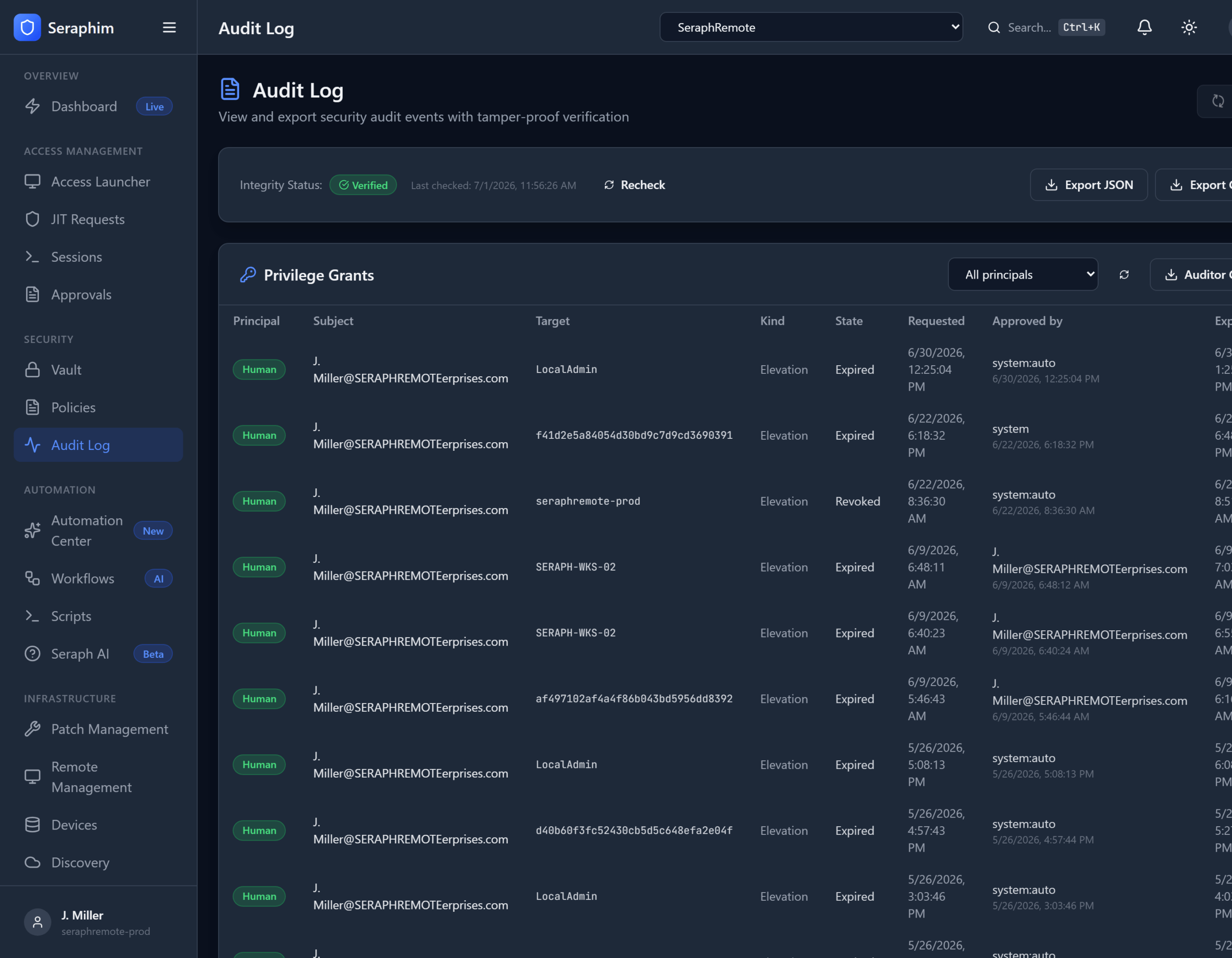
Audit Log in UNISIGN delivers enterprise-grade, compliance-ready auditing that is actually usable for fast-moving IT support and MSP teams.
What It Means in Practice
Tamper-proof, Hash-chained Audit Events Every action — credential checkout, JIT privilege request, session start, command executed, file accessed, configuration change, break-glass use, etc. — is logged in an immutable, cryptographically protected way.
- Each log entry is “hash-chained” to the previous one (similar to blockchain technology).
- If anyone tries to alter, delete, or hide an event, the chain breaks and the tampering becomes immediately detectable.
- Logs cannot be turned off or bypassed by administrators or technicians.
Privilege-Grant Exports (JSON/CSV) One-click or scheduled exports showing exactly who received elevated access, when, why, for how long, and what they did with it. Perfect for feeding into SIEMs, compliance tools, or auditor requests.
Built for Auditors The system is designed from the ground up to answer the questions auditors ask:
- Who had admin rights on this system and when?
- Was access properly justified and approved?
- What exactly did they do during the session?
- Was there any emergency (break-glass) access?
Real-World Example for an MSP or Internal IT Team
During a SOC 2 audit, the auditor asks: “Show me every instance of privileged access to financial systems in the last 90 days.”
With UNISIGN:
- You export a clean CSV/JSON report filtered by client, device, or user.
- The report shows every JIT request, approval (or break-glass justification), session recording link, and actions taken.
- The hash-chain validation proves no one modified the logs.
- The auditor walks away satisfied in minutes instead of weeks of back-and-forth.
Why IT Support Organizations Need This
- Compliance Pressure — SOC 2, ISO 27001, HIPAA, PCI-DSS, GDPR, and client contracts all demand strong privileged access auditing. Weak or missing logs are one of the most common audit failures.
- Forensics & Incident Response — If a breach or insider incident occurs, you need to know exactly what happened, when, and by whom. Incomplete or editable logs make this nearly impossible.
- Client Trust (Especially for MSPs) — Customers want proof that you’re not over-privileged on their systems and that all access is accountable. Strong audit logs become a competitive advantage and reduce liability.
- Reduces Operational Risk — Technicians and engineers know they are being logged. This discourages risky behavior while still allowing them to work efficiently.
Most RMM and helpdesk platforms have basic activity logs, but they are usually:
- Easy to tamper with or disable
- Not cryptographically protected
- Poorly structured for compliance exports
- Missing the full context of privilege grants and justifications
UNISIGN turns auditing from a painful, manual burden into an automated, trustworthy byproduct of normal operations.
It combines tamper-proof technical controls with practical exports and integrates directly with your helpdesk tickets, credential vault, JIT access, and governed AI sessions — so the audit trail is complete and contextual without extra work.
In short: UNISIGN’s Audit Log gives you the rock-solid, auditor-friendly proof that your privileged access controls actually work — while staying out of the way of daily support delivery. It’s the kind of capability that separates professional, compliance-mature operations from those running on hope and basic RMM logging.