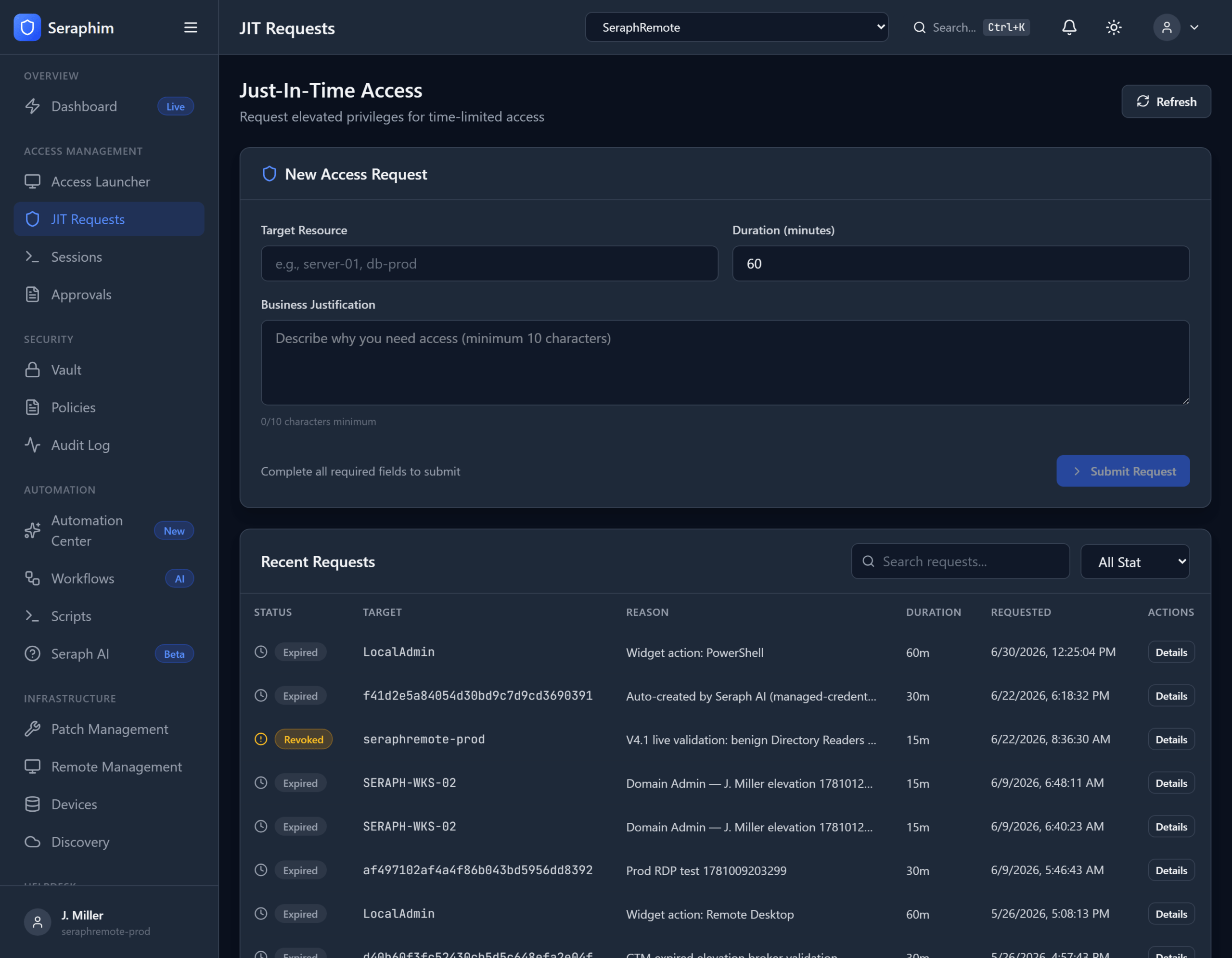
Just-In-Time (JIT) Access in UNISIGN is one of the most powerful ways to reduce risk without slowing down support teams.
Core idea: Give technicians elevated privileges only when they need them, for a limited time, with full accountability — then automatically take them away.
What It Means in Practice
- Request Elevated Privileges A technician working on a ticket requests temporary admin/root/local admin rights for a specific device or system. They provide a short business justification (often linked directly to the helpdesk ticket).
- Time-Boxed Window Access is granted only for a short, defined period — e.g., 30 minutes, 2 hours, or 8 hours — based on policy. It cannot be “always on.”
- Approval (When Required) Depending on the risk level or client policy, the request can go through automated approval, manager approval, or be pre-approved for certain recurring tasks.
- Auto-Revoke on Expiry When the time window ends, privileges are automatically revoked — even if the technician is still logged in. The session can be terminated or downgraded.
Real-world example for an IT support technician:
- A ticket comes in: “User can’t log into the accounting server.”
- The tech requests temporary local admin rights on that server, links it to the ticket, and justifies it (“Troubleshoot login failure – potential permission issue”).
- They get the rights for 60 minutes.
- They fix the issue in 15 minutes.
- The system automatically removes the elevated privileges when the timer hits zero.
- Everything is logged: who requested it, why, when, and what they did.
Why IT Support Organizations Need This
Most RMM and helpdesk environments operate with standing privileges — technicians have local admin rights on many machines “just in case.” This creates massive risk:
- A single compromised technician account can give attackers widespread access.
- Credential theft, phishing, or insider threats become far more dangerous.
- Compliance audits (SOC 2, ISO 27001, HIPAA, PCI, etc.) heavily penalize permanent elevated access.
- Over-privileged accounts make ransomware and lateral movement much easier.
JIT Access flips this model: least privilege by default, with frictionless elevation when truly needed.
UNISIGN makes JIT practical for support teams because it:
- Integrates directly with helpdesk tickets (no context switching)
- Ties into the Credential Vault for seamless credential injection
- Works alongside scripts, sessions, and AI automation
- Supports per-tenant policies (different clients can have different approval rules)
- Includes full audit trails and immutable logs
How It Compares to Traditional PAM
Enterprise tools like BeyondTrust offer JIT, but they are often complex, expensive, and feel like a separate security silo that slows down daily support work.
UNISIGN brings strong, modern JIT access that is:
- Purpose-built for high-volume IT support and MSP environments
- Layered on top of your existing tools instead of replacing them
- Accelerated by governed AI (e.g., AI can pre-suggest or even handle routine elevations)
Bottom line: Just-In-Time Access turns “we have to give techs admin rights everywhere” into “techs get exactly the rights they need, exactly when they need them — and nothing more.” It’s one of the most effective ways to dramatically improve security posture while actually making routine work faster and cleaner.