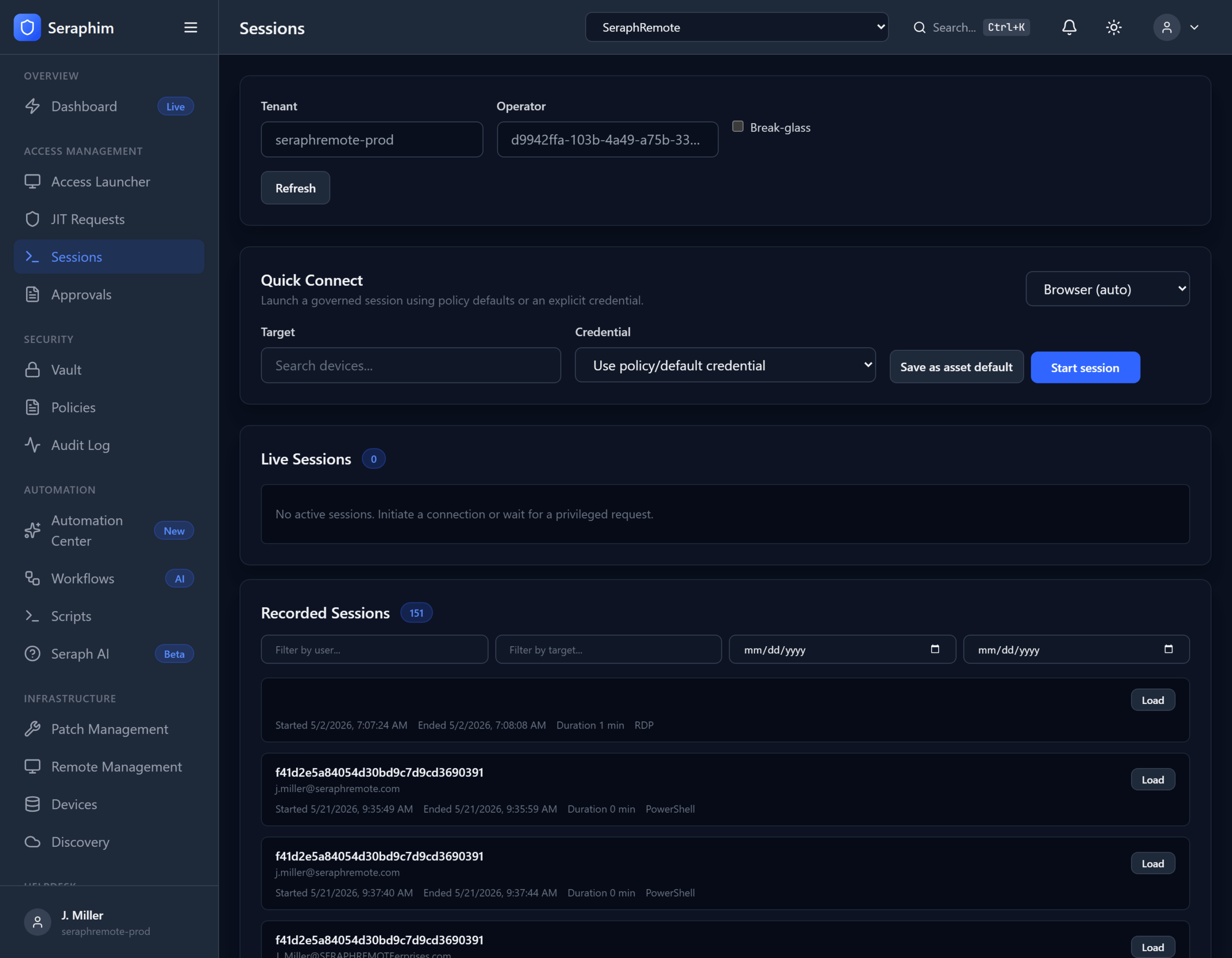
Sessions in UNISIGN provide secure, fully governed remote access that is both highly controlled and practical for daily support work.
What It Means in Practice
Governed Remote Sessions Every remote session (RDP, SSH, PowerShell, browser-based, or native tool) is launched through UNISIGN’s policy engine rather than directly from an RMM or jump server.
Launched from Policy-Default or Explicit Credentials
- The system automatically pulls credentials from the Credential Vault (or a just-in-time elevated set).
- Technicians never need to manually enter or copy passwords.
- Policies can enforce: who can connect, to which systems, using which protocol, at what time, and with what level of privilege.
Full Session Recording Every session is recorded (video-like playback + keystroke logs) and tied back to the original helpdesk ticket or request. Recordings are immutable and stored securely for auditing.
Real-World Workflow for a Technician
- A ticket arrives in the helpdesk.
- The tech clicks “Start Governed Session” directly from the ticket.
- UNISIGN checks policies and JIT/credential vault, injects the right credentials, and launches the session (no password typing).
- Everything the tech does is recorded.
- When the session ends (manually or by time policy), the recording is automatically saved and linked to the ticket.
- Auditors or managers can review the exact session later with full context.
Why IT Support Organizations Need This
Traditional RMM remote access is fast but dangerously loose:
- Technicians often use shared or cached credentials.
- Sessions are rarely recorded comprehensively.
- There’s little policy enforcement or visibility into what actually happened during the session.
- Audit trails are weak or nonexistent.
This creates major risks: credential exposure, unaccountable actions, inability to prove what occurred during an incident, and compliance gaps.
UNISIGN’s governed sessions solve these problems by:
- Enforcing least privilege at the session level
- Eliminating password exposure entirely
- Providing complete forensic visibility through recordings
- Maintaining a clean chain of custody (ticket → request → approval → session → recording)
Additional benefits:
- Supports break-glass sessions when needed
- Works alongside your existing RMM tools instead of replacing them
- Integrates with the full UNISIGN stack (Credential Vault, JIT Access, Audit Logs)
- Enables secure vendor/third-party access with the same controls
For MSPs and internal IT teams, this means faster, safer remote support with built-in accountability. You get the auditability and security that enterprise tools like BeyondTrust provide, but designed to fit naturally into high-volume ticket-driven workflows rather than feeling like extra security overhead.
Bottom line: Governed Sessions with recording turn remote access from a risky necessity into a controlled, auditable, and defensible capability — while keeping technicians productive.