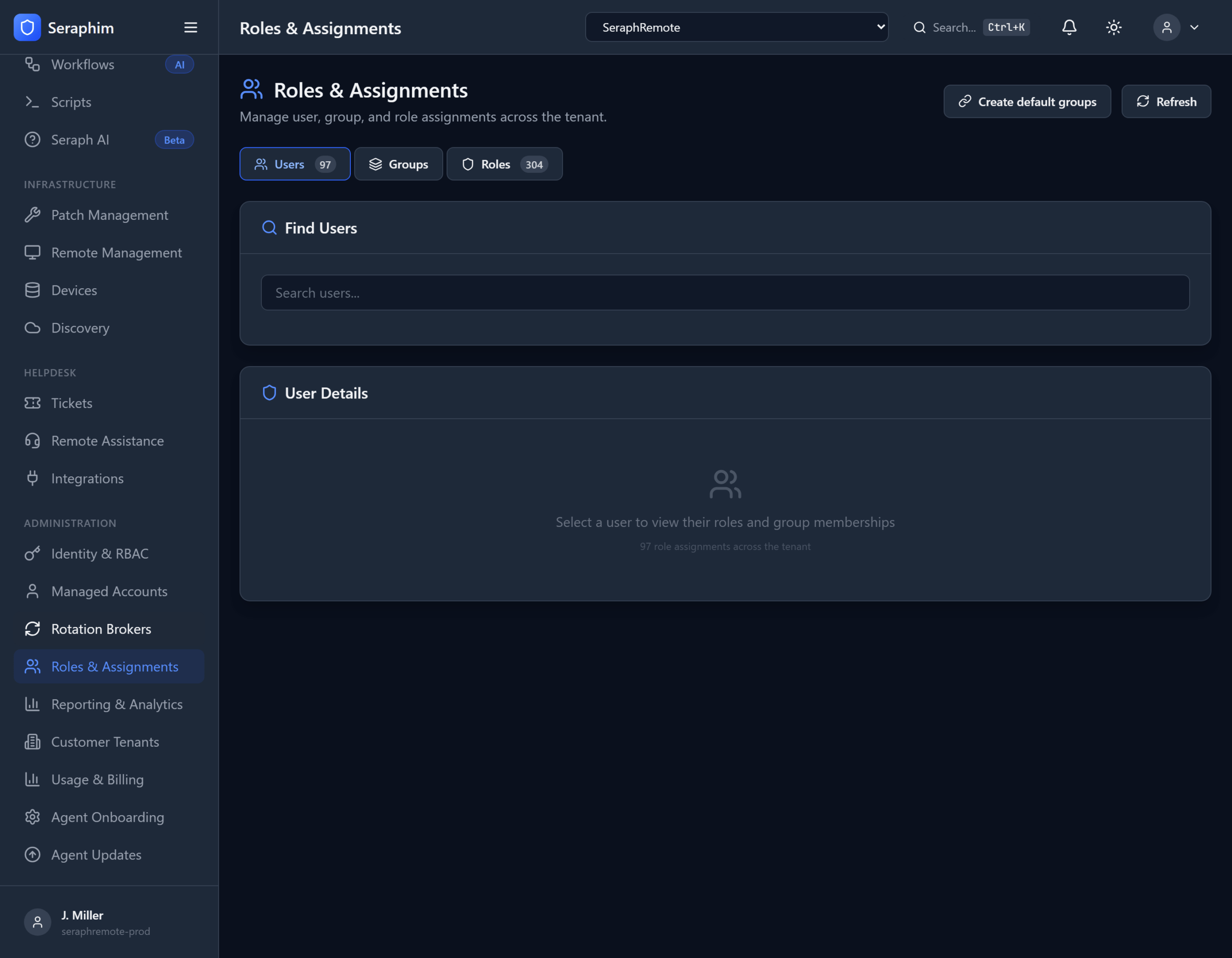
Roles & Assignments in UNISIGN delivers strong Role-Based Access Control (RBAC) that makes least-privilege enforcement practical for busy IT support and MSP teams.
What It Means in Practice
RBAC Roles Pre-built and custom roles define exactly what a person (or automation) can do — e.g., “L1 Technician,” “Client Admin,” “Auditor,” “Break-Glass Approver,” or “AI Automation Operator.”
Groups Organize users by team, seniority, location, or client responsibility for easier bulk management.
Assignments Granular assignment of roles to individual users, groups, or even specific clients/devices. You can assign broad permissions at the tenant level and then apply tighter filters per client or device.
Permission Filtering Enforced by Default Every action is evaluated against assigned roles and policies. There are no blanket “admin” rights — permission filtering is the default behavior. If a user hasn’t been explicitly granted a permission, they don’t have it.
Real-World Workflow
- A new technician joins the team → assigned the “L1 Support” role + specific client groups.
- They can view tickets and launch governed sessions on assigned clients, but cannot access Credential Vault for high-privilege accounts or approve their own escalations.
- A senior engineer gets a temporary “Elevated Access” assignment for a specific client project, which auto-expires.
- Auditors are assigned read-only roles that let them review sessions and reports without any operational access.
All changes to roles and assignments are fully audited.
Why IT Support Organizations Need This
Without strong RBAC:
- Technicians often end up with excessive permissions “just in case.”
- Managing access across multiple clients becomes chaotic and error-prone.
- Insider risk and blast radius from compromised accounts is dangerously high.
- Compliance audits become painful because you can’t clearly demonstrate who should have access to what.
UNISIGN makes RBAC effective and low-friction by:
- Integrating deeply with Credential Vault, Just-In-Time Access, Governed Sessions, Device Management, and Audit Logs.
- Enforcing permissions at every layer (UI, API, sessions, automation).
- Supporting strong multi-tenancy so one technician’s permissions are cleanly isolated across different clients.
- Allowing temporary and time-boxed assignments that align with real support work.
Compared to traditional PAM tools, UNISIGN’s Roles & Assignments feel less like heavy bureaucracy and more like natural permission filtering that supports — rather than slows down — fast-moving support operations.
Bottom line: Roles & Assignments in UNISIGN give you enterprise-grade access control with the flexibility and simplicity modern IT teams actually need. It ensures the right people have the right access at the right time — and nothing more — while maintaining clean audit trails and strong compliance posture.